For anyone who doesnt know how to take a screenshot in the game or anywhere for that matter here is a simple way of doing so :)
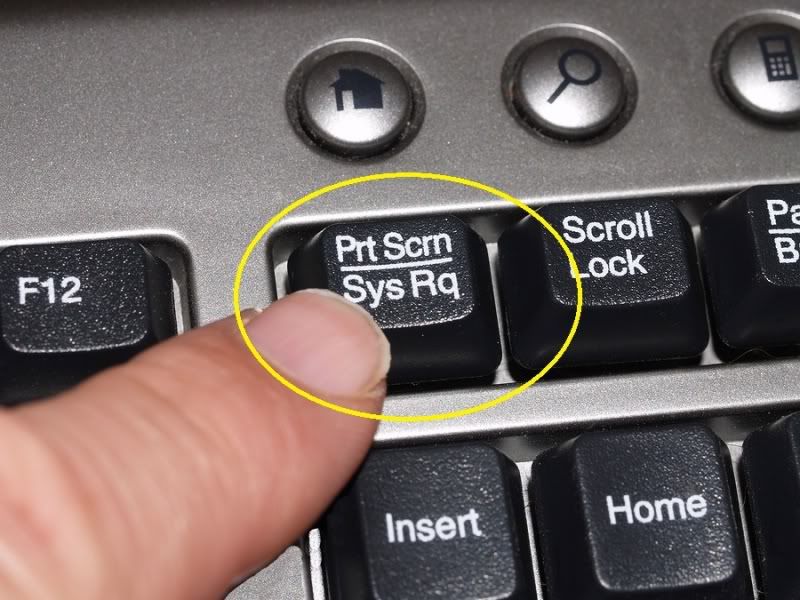
First all you have to do is get whatever it is ready to take the picture and then you hit the button PRINTSCREEN which depending on whether your using a laptop or a pc you may or may not have to use the FN key if it is just a printscreen button like on most PC's thats all ya gotta if you have a key where the print screen button is with another key merged into one like mine which is END and under that is PRTSC(print screen) then you HOLD the FN key down and then click the Print screen button down and it takes the picture here is a couple pics to help.. (continued after picture)

Now after you have taken the picture you are ready to go and make it and save it. now you go to your desktop and click the start button and select the paint program(this is on all computers) if it isnt on the bar you have to go to accesories and then select it.

now that you are in PAINT you will select the dotted square icon show below and drag a box on the white sheet .


After draggin a dotted square like in the picture you click paste.
this will paste the picture you have taken to the white sheet. you then go to bottom right corner where you can adjust the sides bottom or corners to adjust size among other things...

after adjusting you then just proceed to click the blue icon show in the picture in the top left corner, you then click SAVE AS.. and you can select where you want to save it and what it should be called...
AND NOW MY FRIENDS :) you have yourself a saved Screenshot :) ENJOY!


 125
125