Hello!!, Friends this tutorial was taken from a Spanish forum of dbo, if you not understand something tell me and i change info. This tutorial is only for dbocom. If you want to replicate it please send me mp, i asked the owner.
Sorry for english. But is good tutorial.
----------- Download DBO ------------
Will:
http://dbo.wasabii.com.hk/DB_Download/client.shtml
Choose which way the client downloaded and hope it finishes .. (WELL EASY!!).
---- Sign In DBO ---
WILL:
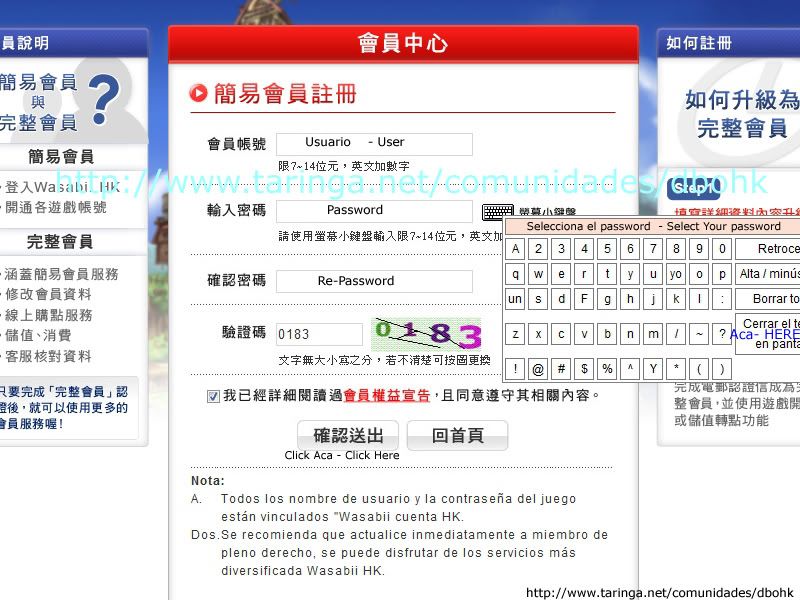
https://member.wasabii.com.hk/CreateUser.aspx
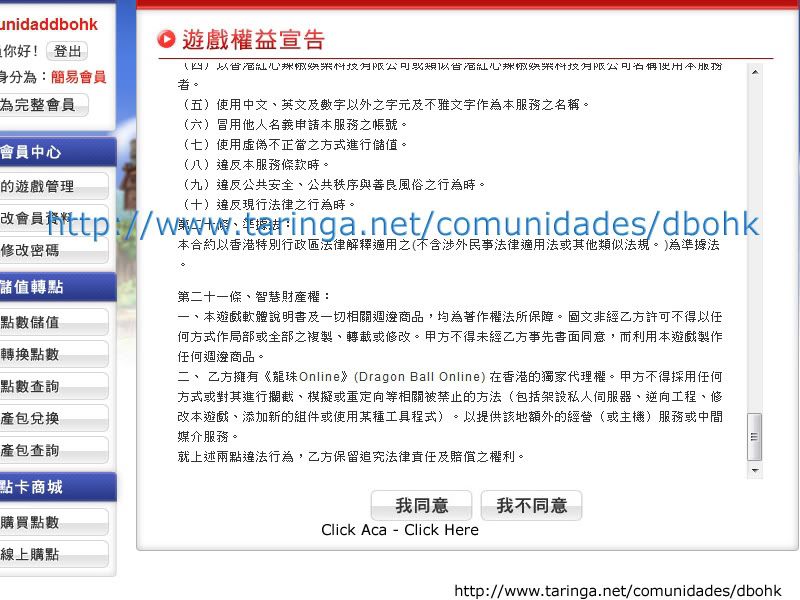
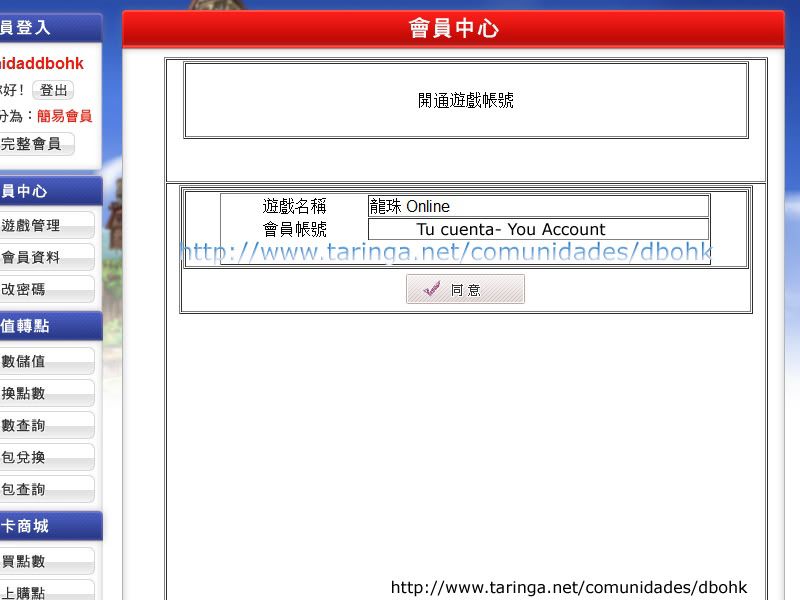
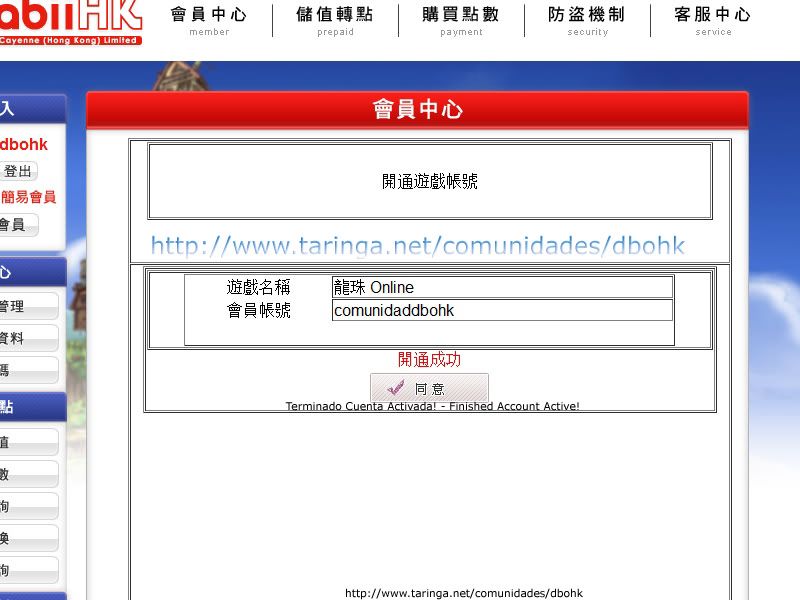
Follow the image.

 ---- Install DBO IN Windows 7---
Control panel will:
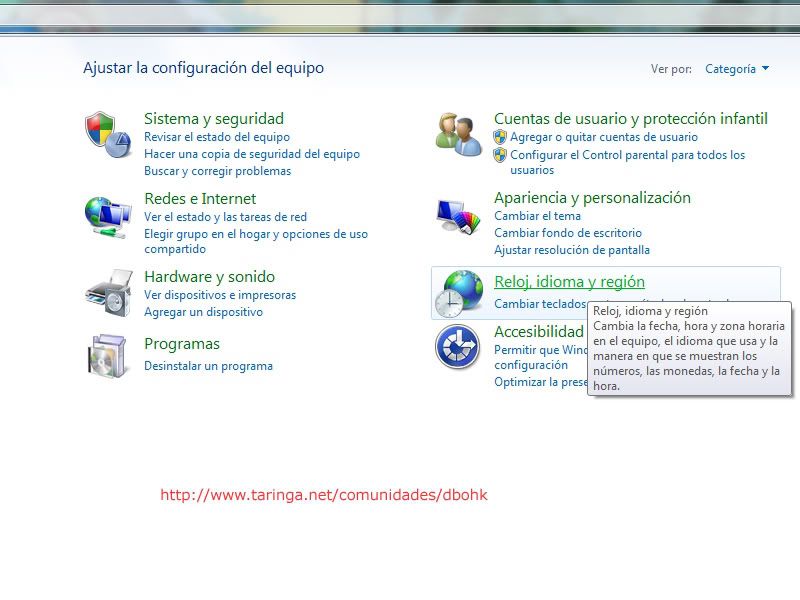
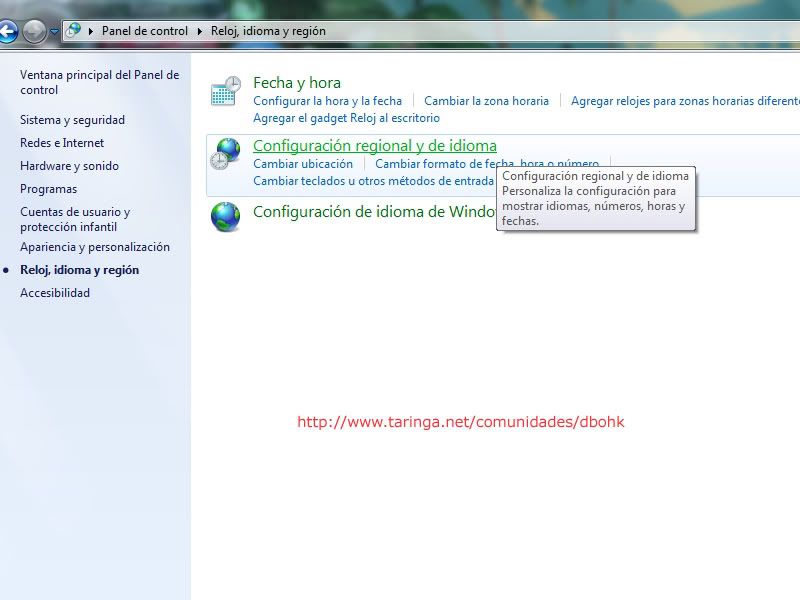
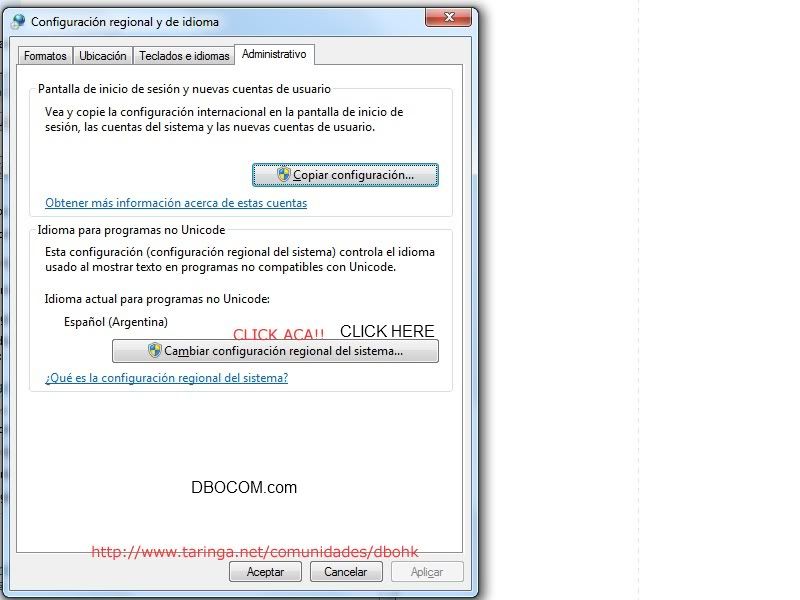
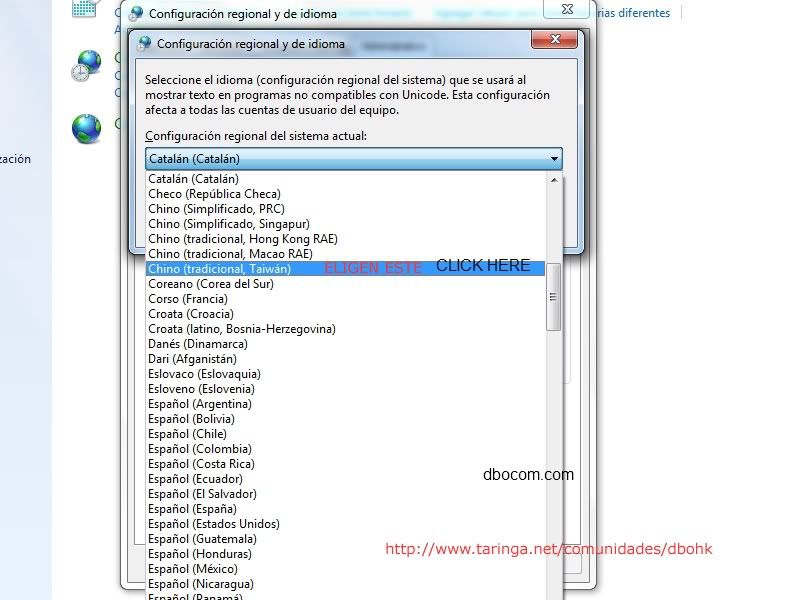
 ---- Install DBO IN WINDOWS XP ----
Open Control Panel:
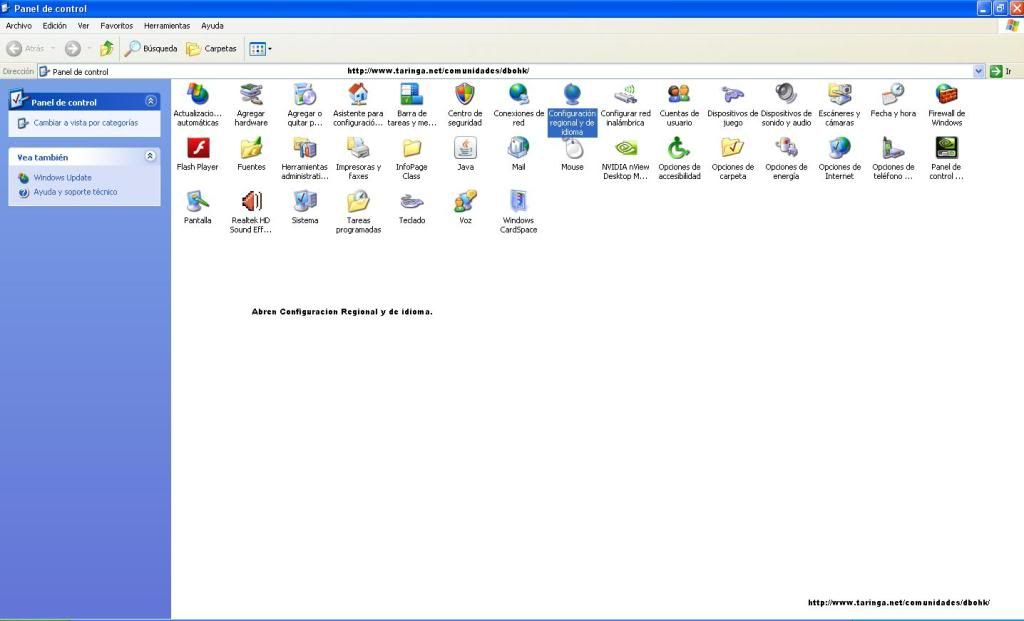
And choose
"Regional and Language Settings"
Then go to
Advanced
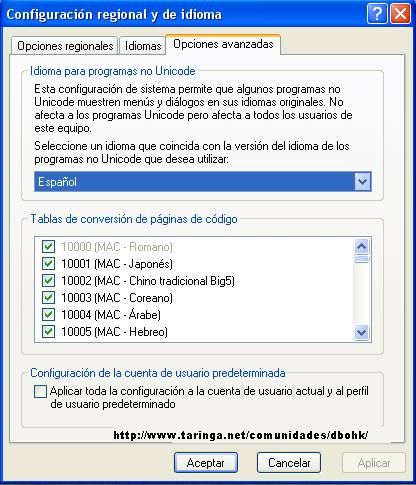
Where here is marked
selected Taiwan Chinese Language
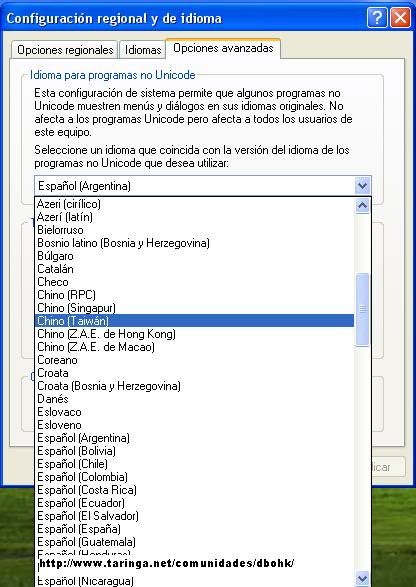
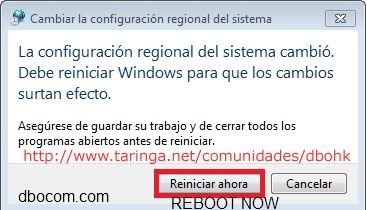
After select, Implement and follow instructions to the restart, if you got the language in your PC, no need to put the windows CD, you got If not CD windows then send me mp, I look for a patch.
If you got the whole cd next, until, the PC is rebooted.
After That Just install the client, leaving updating.
Once you update, windows to return to Their Normal operation steps by the Same But select your language.
Thanks - This tutorial is Only FOR DBOCOM.
IF YOU DONT HAVE LANG PACK DOWNLOAD HERE:
http://www.4shared.com/rar/Yj8SGls2/...Filespart1.htm
http://www.4shared.com/rar/9gn9Vpg6/...Filespart2.htm
http://www.4shared.com/rar/RhxkpIjI/...Filespart3.htm
THANKS:
c0rd3k's


 237
237

